
If your firm relies on Microsoft 365 and multifactor authentication to keep accounts safe, this attack should be on your radar.
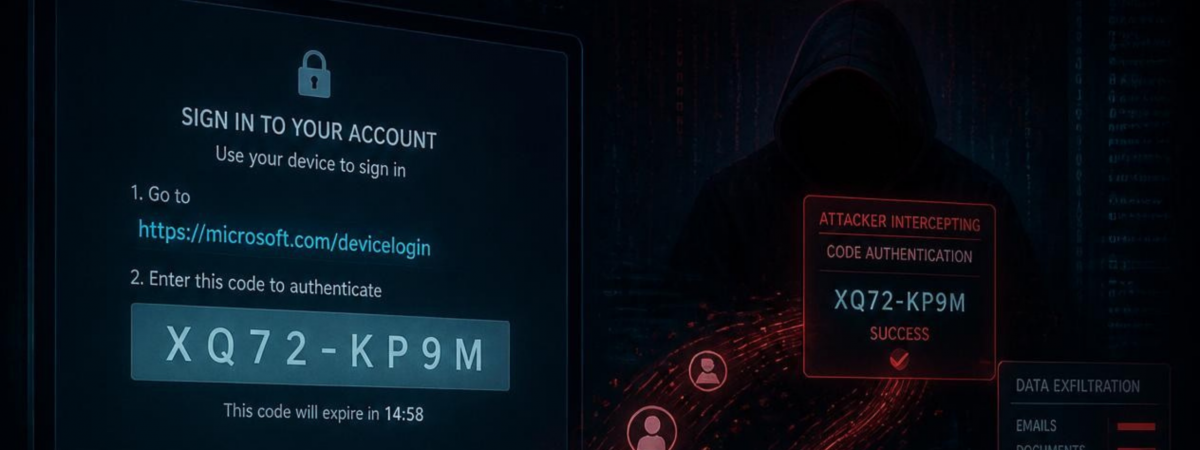
A new wave of phishing attacks is bypassing MFA without stealing a single password. The technique is called “device code phishing”, and it doesn’t rely on a fake login page or a stolen credential. Instead, it tricks users into authorizing an attacker’s session on Microsoft’s own real login page. Microsoft’s security research team recently detailed a large-scale campaign using this technique, and similarly, researchers at Abnormal AI have tracked a related toolkit called EvilTokens that automates the entire attack end to end.
This isn’t a theoretical threat. It’s active right now, and it’s built specifically to slip past MFA.
What Is Device Code Phishing?
Device code authentication is a legitimate Microsoft sign-in method. It exists for devices with limited input, like a smart TV or a printer. Instead of typing a password directly on the device, a user gets a short code. Then, they enter that code on a separate device, like their phone or laptop, to complete sign-in.
Attackers have found a way to abuse this process. They generate a real device code through Microsoft’s own system. Then they trick a target into entering it. The target user authenticates, completes MFA, and never realizes they just handed their account to an attacker.
No fake website. No stolen password. Just a legitimate Microsoft prompt that the user approves without knowing who’s really on the other end.
How the Attack Works
The attacks Microsoft and Abnormal AI documented follow a similar pattern, often automated and personalized using AI:
1. A convincing lure arrives by email. Common themes include document sharing requests, DocuSign notifications, invoices, and password expiration warnings. Some campaigns send these from real, previously compromised mailboxes, which lets the emails pass standard email authentication checks.
2. The link leads through a chain of redirects. Attackers route traffic through trusted platforms like Cloudflare Workers and Railway to avoid tripping security filters. The phishing traffic blends in with normal cloud activity.
3. A real device code gets generated on demand. Older versions of this attack used a single code that expired after 15 minutes, which limited success rates. Newer campaigns generate the code the moment the victim lands on the page, keeping it valid for the full window.
4. The victim completes MFA on Microsoft’s real site. They believe they’re signing into a document or verifying their identity. In reality, they’re authorizing the attacker’s session.
5. The attacker gets persistent access. Once authenticated, attackers can read email, create hidden inbox rules, search for wire transfer details, and in some cases maintain access for weeks or months.
Why This Matters
MFA has long been treated as the gold standard for account protection. Device code phishing proves that even a properly configured MFA setup can be bypassed if the underlying authentication flow isn’t restricted.
For firms handling client funds and sensitive financial data, the stakes are higher than a single compromised inbox. Attackers using this technique have specifically targeted employees in financial and executive roles, then used automated tools to search compromised mailboxes for:
- Wire transfer instructions and account numbers
- Pending invoices and payment details
- Executive correspondence that can be used for business email compromise
Some attackers are now using AI to scan stolen inboxes automatically, cutting the time between account compromise and actual fraud from hours to seconds.
What Your Firm Should Do Right Now
1. Restrict device code authentication. If your firm doesn’t have devices that require this sign-in method, work with IT to block it through Conditional Access. This closes the door on the attack entirely.
2. Train your team on this specific tactic. Most phishing training focuses on fake login pages and suspicious links. Device code phishing looks different: it’s a real Microsoft prompt asking the user to enter a code. Make sure your team knows what to watch for.
3. Monitor for suspicious sign-in patterns. Work with your security provider to flag anomalous authentication activity, especially sign-ins that follow unusual patterns or originate from known malicious infrastructure.
4. Have a response plan ready. If an account is compromised, revoking sign-in sessions isn’t always enough. Some access tokens can remain valid for up to an hour after revocation. Firms should be prepared to temporarily disable a compromised account outright.
Final Thoughts
Device code phishing is a reminder that attackers don’t need to break MFA to get around it. They just need a user to approve the wrong session. As these techniques get automated and paired with AI, the volume and precision of these attacks will keep increasing.
At BW Cyber, we help wealth and asset management firms close gaps like this before they become an incident.
Contact BW Cyber to find out whether your firm’s authentication setup is exposed to device code phishing.
